EDitwise faq
Everything You Need to Know About EditWise
Find quick answers about features, pricing, workflows, onboarding, storage, team management, and more.
Choose a category below to jump directly to the details you need.
Getting Started
What is EditWise, in simple terms?
• Projects & tasks
• Deliverables & revisions
• Time tracking
• Finances & budgets
• Clients & communication
• Files & team
Who is EditWise actually for?
• Video editing / post-production agencies
• Studios with 3–30+ editors
• Agencies doing recurring client work (YouTube, ads, product videos, etc.)
• Teams that are currently juggling multiple tools and feel their workflow is breaking
If you’re solo and plan to stay solo, EditWise will likely feel like overkill.
Is EditWise hard to learn?
• Video tutorials on almost every main page
• On-screen wizards for new users
• Clean, consistent UI
• Optional live training calls (paid add-on for full team training)
Most teams get comfortable with core workflows (projects, deliverables, time, finances) very quickly.
For Agency Owners & Operations
Is EditWise “too complex” for my team?
• One login
• One source of truth
• One place to see tasks, time, deliverables, finances, clients
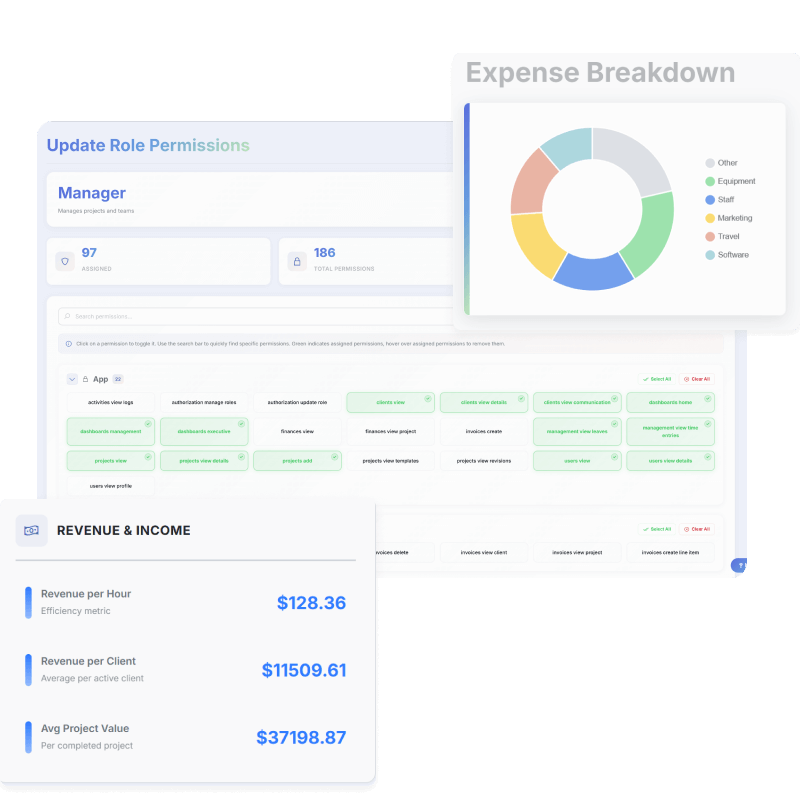
Editors mostly touch projects, tasks, deliverables, and time tracking. They don’t need to learn financials, budgets, or setup pages unless you want them to.
How long does migration take?
• If you only move active projects: Many agencies can set up their workspace and recreate current work in a few days.
• If you want to migrate historical data (old clients, old projects): That takes longer and is highly case-dependent.
Right now, migration from tools like Trello, Asana, Frame.io, or Sheets is manual, but:
• We guide you on what to move (and what to leave archived)
• We can assist you on calls and via support
For larger teams, we can offer paid migration support.
Can EditWise really replace all our tools?
There is one common exception: Some larger agencies use dedicated accounting / invoicing software for their finance department.
In that case: You can generate detailed invoices inside EditWise (with all hours, tasks, and expenses explained). Then send that as an attachment, and still issue the official invoice from your finance system.
So EditWise becomes your operational and billing source of truth, and your accounting tool remains your legal invoice issuer.
What’s the difference between the Studio and Agency plans?
• Full time tracking (incl. stopwatch + approvals)
• Transparent detailed invoices
• Profitability dashboards
• Leave management
• A few custom roles
Agency is for more complex organizations (15+ people, multiple squads) that need:
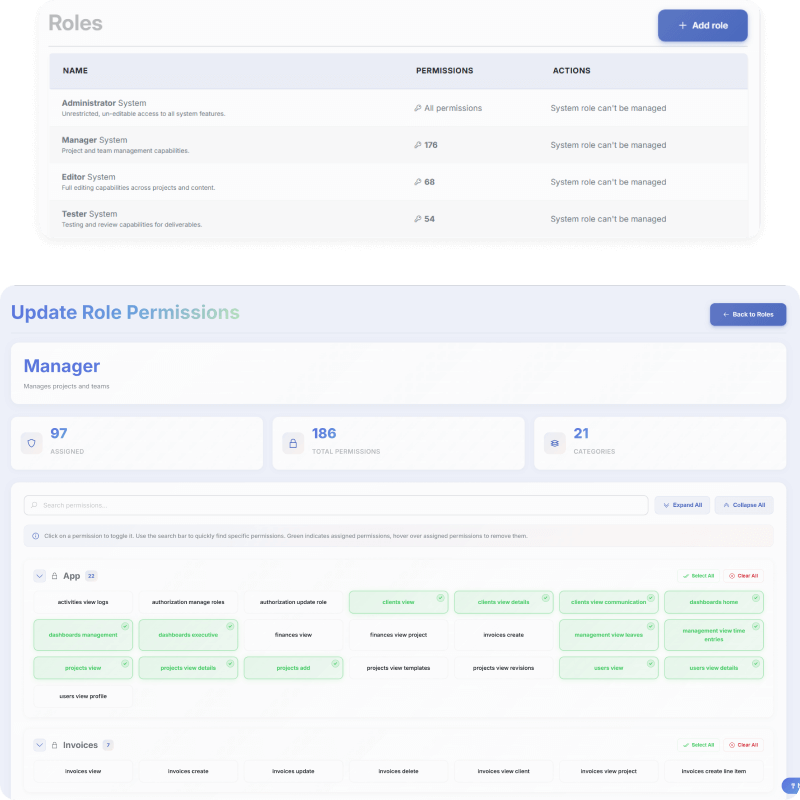
• Full, granular permissions (120+ permission flags)
• Unlimited custom roles
• Full white-label client portal (domain, colors, no EditWise branding)
• Advanced analytics and BI
• Higher-touch support and SLA
If you manage many editors and care about who can see finances, who can manage clients, who can approve time, etc., Agency is the right option.
Will EditWise slow us down at first?
• We help you design your initial workflow
• Editors only use a small part of the platform
• Owners/PMs quickly feel less mental load once everything is in one place
Most teams feel “this is different” for a few days, then “this is what we should’ve done years ago.”
For Editors
What do my editors actually see and do inside EditWise?
• See the projects and tasks assigned to them
• Track their time
• Upload deliverables / files
• Respond to comments
• Mark work as done / ready for review
They don’t need to touch:
• Finances
• Invoicing
• Settings
• Client configuration
How fast can editors get used to it?
We recommend:
• A short internal walkthrough (15–30 mins)
• Give them 1–2 real projects inside EditWise immediately
• Let them watch the quick video tutorials if they’re stuck
Most editors “get it” in a single day of real use.
For Your Clients
Will my clients be willing to use a new platform?
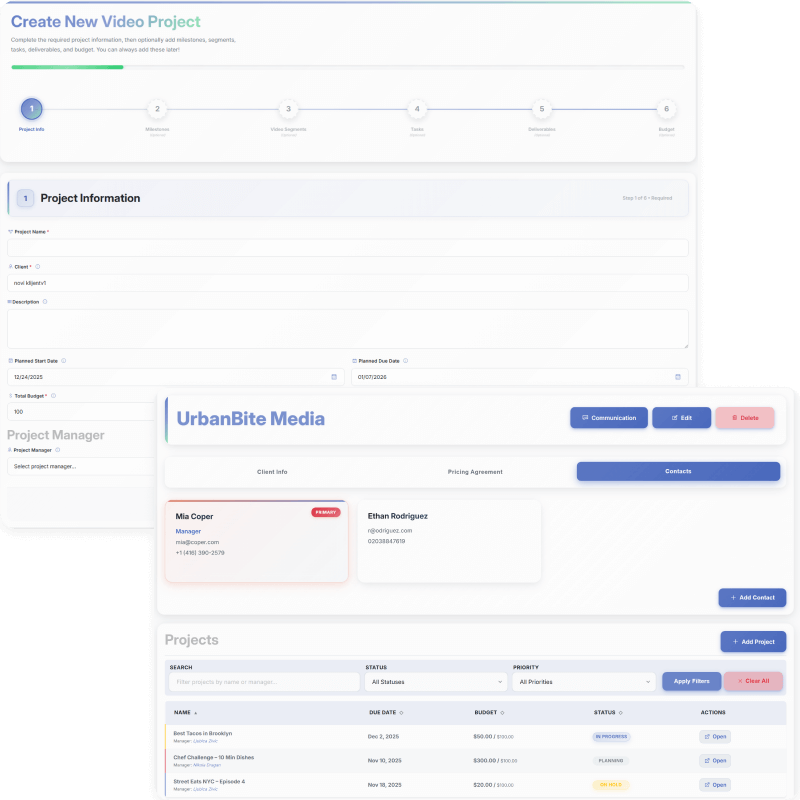
• Client Dashboard
• List of projects you’re working on for them
• List of deliverables
• Ability to upload raw files
• Deliverable View
• Video / file preview
• Leave comments directly where changes are needed
• Approve or request changes
There’s no deep system complexity. It’s cleaner and more professional than sending bare Drive links or PDFs. You can present it to clients as: “We’re upgrading your experience. From now on, all your files, previews, and feedback live in one place, so nothing gets lost and your projects move faster.”
What if a client really refuses to log into anything?
• Share direct deliverable links, they are still able to access them and leave comments anonymously
• Download files and send them through their preferred channel
• Use EditWise as your internal source of truth while keeping the client interaction similar to before
But in practice, most clients are pleasantly surprised by the portal and adapt quickly — especially when they see how easy commenting and versioning becomes.
Pricing & Plans
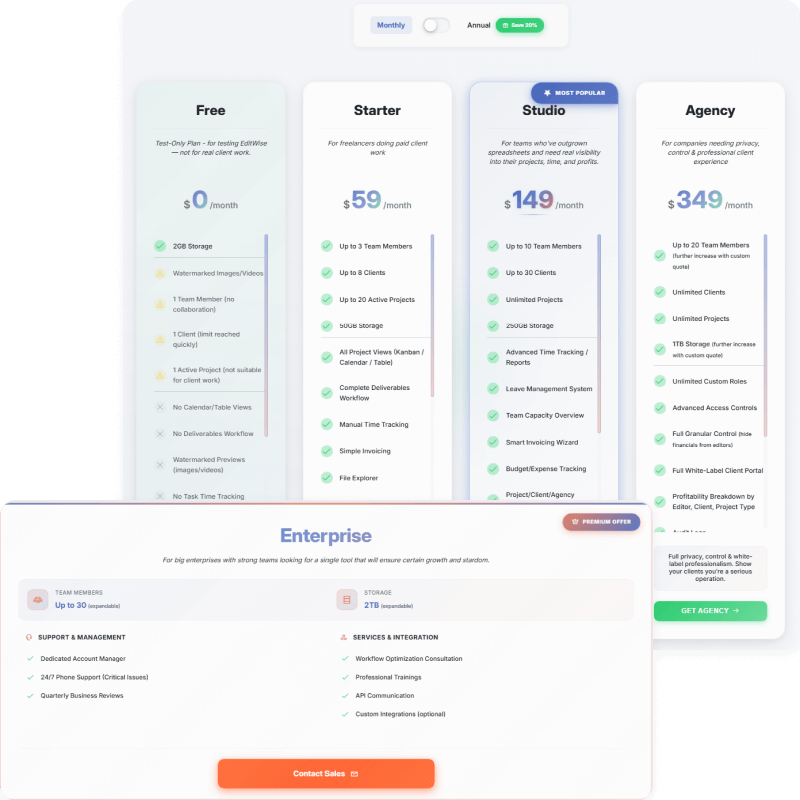
Can we pay monthly, or is it only annual?
• Monthly billing — more flexible, great for trying EditWise without long commitment
• Annual billing — gives you a discount (≈ 2 months free compared to month-to-month)
Psychologically, monthly is safer for new agencies; annual is ideal once you’re sure EditWise is central to your operations.
Can we change plans later?
• You can move from Starter → Studio → Agency as you grow.
• You can add or remove seats as your team size changes
Plan upgrades and downgrades can be handled easily, and you will not lose what you have paid for.
Is there really a Free plan? What’s it for?
• 1 user
• 1 client
• 1 active project
• Very small storage
• No advanced features
It’s meant for testing the platform, not for running a real editing agency. Serious teams should be on Starter, Studio, or Agency.
Migration & Onboarding
Can you help us import our current projects from Trello / Asana / Frame.io / Sheets?
• Guide you on what makes sense to migrate (and what to leave archived)
• Can help you design your first workflows and project structures inside EditWise
• Can assist manually with structure and setup
For larger agencies, we can provide paid onboarding / migration services where we help you recreate your most critical projects and clients inside EditWise.
Can you help us set up our workflow?
• Self-serve onboarding through video tutorials and in-app guides
• 1:1 or group onboarding calls (paid, especially for full-team training)
• Recommendations based on your current tool stack and project types
We’ve run an editing agency ourselves — we’re happy to suggest structures that actually work in production.
Do you offer training for our team?
• Live training sessions for your editors and PMs
• Q&A sessions for ops/owners
• Loom/recorded walkthroughs for your internal documentation
Full-team training is available as a paid service, so we can invest proper time into making sure everyone is comfortable.
Integrations & Existing Tools
Do you integrate with our accounting / invoicing software?
• Use EditWise to: track hours, track expenses, generate detailed invoices and billing breakdowns.
• Use your accounting system (e.g., Xero, QuickBooks, local invoicing tools) to: issue the official legal invoice, do tax / compliance work.
You can attach or copy EditWise invoice details, so finance has full context without needing direct integration.
Can we import data from Frame.io, Drive, or Dropbox?
• Download files from Frame.io and upload them into EditWise
• Recreate project/deliverable structure in EditWise
• Use EditWise as the new, single place for future work
We’re happy to advise on what’s worth moving versus what can safely stay archived.
Do you have a public API?
• Enterprise: API and webhooks are made available for enterprise customers when needed for specific use cases.
For now, most agencies get everything they need through the UI. If API integration is critical for you, mention it on your demo call — we can discuss timelines and options.
Security & Reliability
Where is our data stored?
How secure is EditWise?
• Modern, battle-tested technologies (e.g., ASP.NET Core)
• Azure’s security and network stack
• Proper authentication & authorization mechanisms
• Role- and permission-based access inside the app (especially on Agency/Enterprise)
For most agencies, this is more secure than their current combination of scattered tools and shared spreadsheets.
Who can see what inside our workspace?
Clients only see their own client portal and client-related content.
This gives you full control over visibility and responsibility.
Do you back up our data?
In practice, that means:
• Data is not sitting on a single hard drive
• We can recover from infrastructure-level issuesAs we grow into more enterprise use cases, we’ll add:
• More formal backup policies
• Optional exports
• Custom backup/restore options for larger clients
Future Roadmap & Features
Will there be internal chat?
• Team direct chat
• Client direct chat
• We also plan to introduce an AI support assistant to help answer “how do I…” questions inside the app.
Internal + client chat are available already. AI assistant will follow later.
Will there be AI features?
• In the longer term: We may explore AI assistance for planning, estimating, or pattern recognition — but only in ways that genuinely help agencies, not “AI for the hype.”
Will there be resource management (equipment, studios, etc.)?
• Track equipment
• Reserve resources
• Plan production capacity, not just post-production
This is especially relevant for video production agencies who handle both shooting and post.
Will you integrate with Adobe (Premiere, After Effects, etc.)?
• Workflow
• Project structure
• Collaboration
• Finances
• Clients
Frame.io is tightly integrated into the Adobe ecosystem; instead of competing in that specific technical niche, we focus on running your whole agency, not the NLE itself.
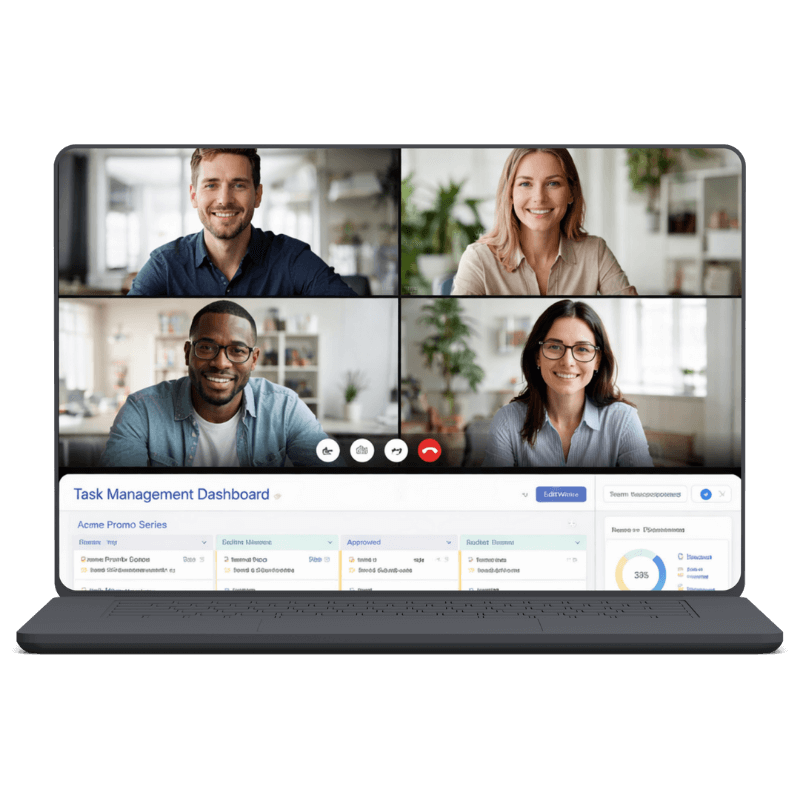
NOT SURE IF EDITWISE FITS
Still have questions?
If there’s something specific about your workflow, tech stack, or team that isn’t answered here, the fastest way to get clarity is to jump on a short call.
We’ll look at how you work today and show you exactly how EditWise fits in (or tell you honestly if it doesn’t).
🤝 No commitment. No sales pressure. Just a clear look at how serious video agencies actually run everything.
⭐EditWise Elite
Who Elite Is For
Elite is for you if:
• You run a 5–30 editor agency
• Your operation already has complexity (clients, managers, margins)
• You don’t want to “figure it out as you go”
• You want the system installed correctly from day one
What Elite Fixes
Elite removes:
• Workflow chaos hidden behind “working”
• Custom processes living only in your head
• Bottlenecks that make everything depend on you
• Half-implemented tools that never fully stick
And replaces it with:
• One clear operating model
• A system your team actually follows
• Visibility without micromanagement
What’s Included (High-Level)
Elite includes:
• Full workflow and ops audit
• Custom EditWise setup for your agency
• Project, client, and team structure design
• Hands-on rollout with your editors
• Ongoing adjustments until it actually works

The Operating System
for Modern Video Editing Agencies